Description
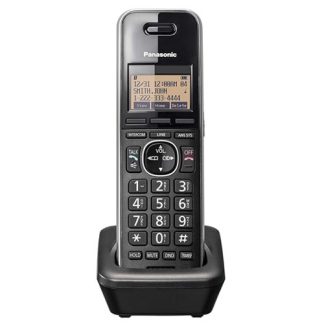
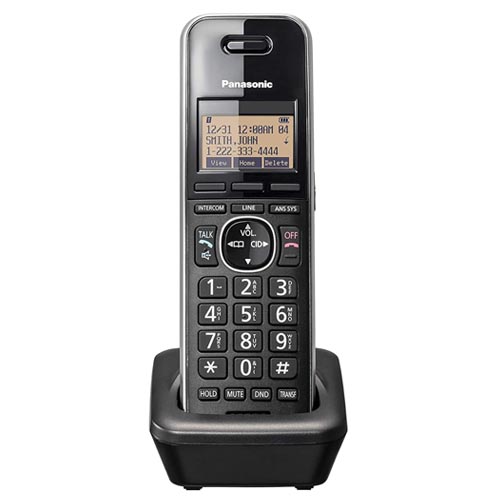
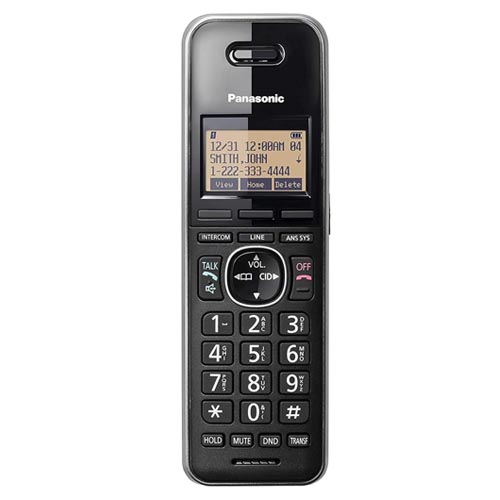
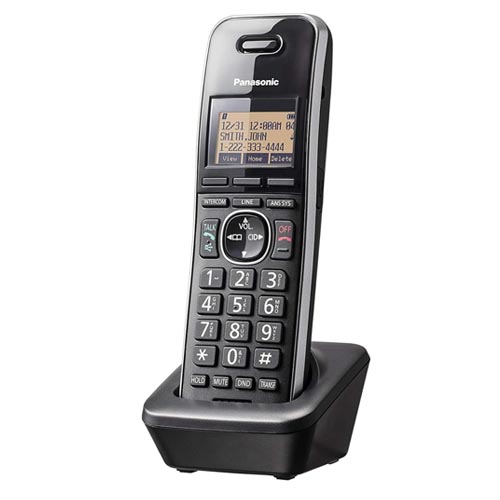
- The Panasonic KX-TGWA41B Cordless Phone Accessory connects to the corded Base Station (KX-TGW420B, sold separately) for your small office.
- Connect up to four telephone lines and grow this business phone system as your business grows, connecting up to 9 extensions total to the base unit for a complete, customizable phone system for small and medium businesses.
- Enjoy features like unit-to-unit intercom so you can talk to your coworkers, or a dedicated do-not-disturb button for when you want to focus on work. And, this cordless handset extension doesn’t require a landline – simply plug into a power outlet and wirelessly connect to the main base unit. DECT 6.0 technology ensures you have long-range, interference-free call quality.
- The Panasonic KX-TGWA41B is a cordless accessory handset designed specifically for the Panasonic KX-TGW420B Business Telephone System. It requires the main base station to function.
Features
- Cordless Handset Phone Accessory: Bring excellent call clarity to your busness with this cordless handset for the KX-TGW420B Base Station (sold separately). *Note that phone will not work on its own; it must be paired with the base station
- Expandable Small Business Phone System: Wirelessly connect to the Base Station for up to 9 additional corded desk units or cordless handsets (sold separately), no cables required, to grow as your business grows
- Seamless Call Management with Digital Receptionist: Works with Base Station features to enhance your productivity; built-in Digital Receptionist answers incoming calls and routes them appropriately; perfect for controlling costs and growing your business
- Maximum Call Clarity with DECT 6.0 Technology: The global standard in phone frequency ensures long-range clarity of calls, ensuring a professional image; signal remains strong across separate rooms or even outside
- More Features for Your Business: Caller ID to recognize numbers before you answer; dedicated do-not-disturb button; power back-up operation and more
- Panasonic phones continue to connect families and friends all over the globe, offering reliable connection and intuitive design—proudly built on a legacy of Japanese innovation and craftsmanship.
Technical Information:
- Brand: Panasonic
- Color: Black
- Item model number: KX-TGWA41B
- Telephone Type: Cordless
- Number of Batteries: 4 AA batteries required. (included)
- Material: Plastic
- Power Source: Corded Electric
- Dialer Type: Single Keypad
- Item dimensions L x W x H: 7.2 x 6.8 x 9.6 inches
- Answering System Type: Digital
- Product Dimensions: 7.2 x 6.8 x 9.6 inches
- Item Weight: 13.1 ounces
- Batteries: 4 AA batteries required. (included)
- Compatible Devices: Panasonic KX-TGW420B Base Station, Compatible Panasonic Phone Systems
Initial Setup and Registration:
- Charge the Handset: Place the handset on the charger for approximately 14 hours before initial use.
- Activate Registration Mode on Base: Press and hold the [MENU] or [Speed Dial] button on the main KX-TGW420B base unit for about 5 seconds until a beep sounds.
- Register the Handset: On the cordless handset, press the [MENU] button, then enter [#][1][3][0] to register. Follow the on-screen prompts.
- Complete: Wait until “Registration complete” appears on the screen.
Common Operations
- Make a Call: Press [T/TALK] or [SP-PHONE], dial the number, or select a number from the 99-number redial memory.
- Intercom: Use the intercom function to call other registered handsets/extensions.
- Volume Adjustment: During a call, use the navigation keys to adjust volume, or press [MENU] [#][1][6][0] for ringer volume.
- Flashlight: Press the dedicated flashlight button on the handset.
Troubleshooting
- No Dial Tone: Ensure the main base unit is connected to the phone line, is plugged into power, and the handset is properly registered.
- Handset Not Working: Ensure the battery is charged and the handset is within range of the base unit.
- Ringer Off: If the phone does not ring, hold the [*] key for 3 seconds to turn off silent mode.