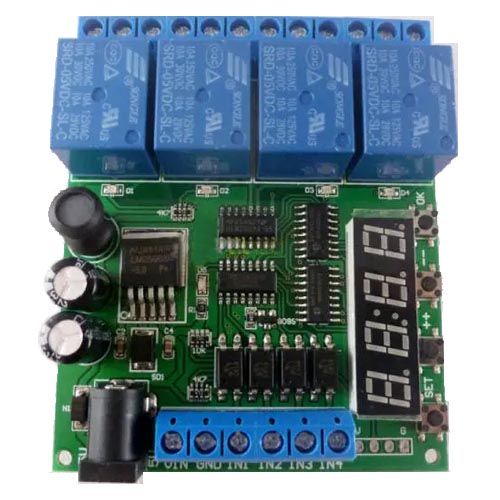
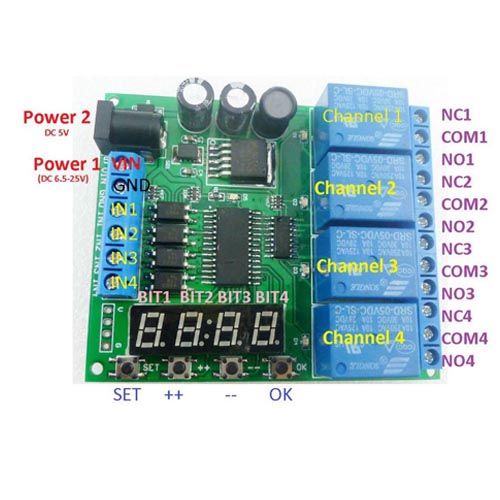
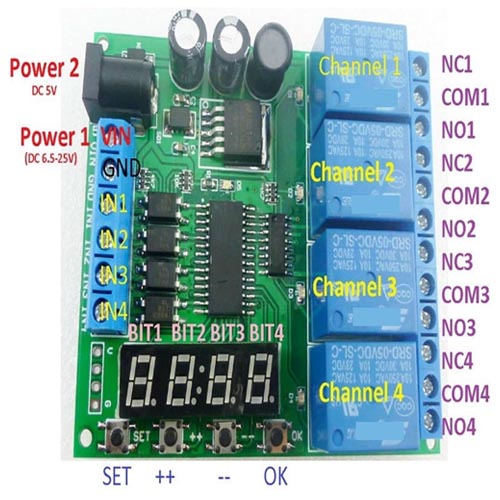
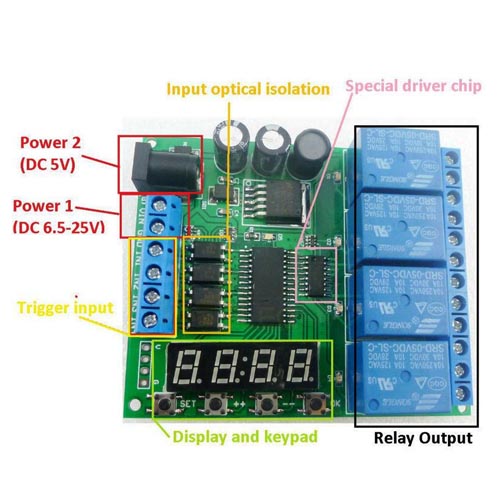
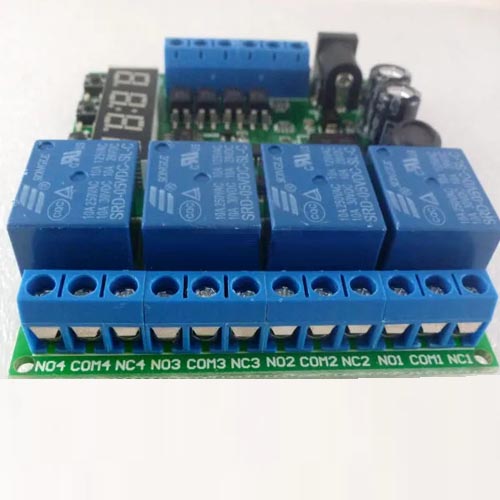
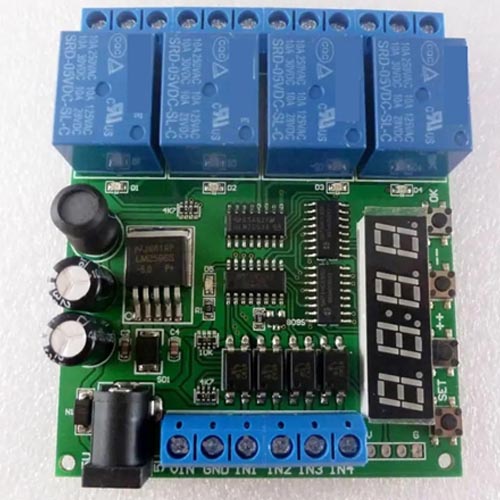
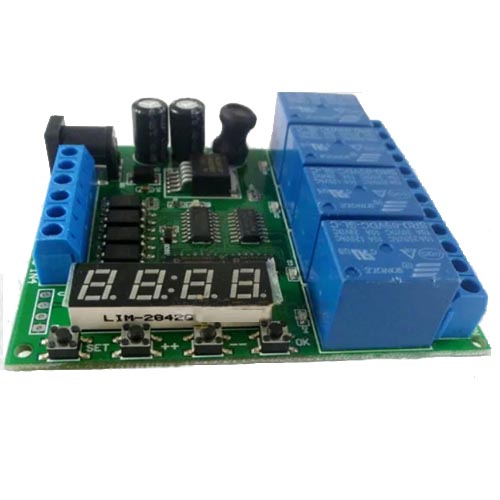
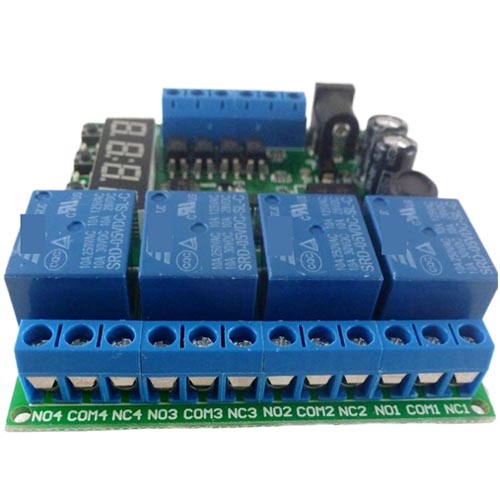
Description
Features:
- Longest delay time : 00h:00m:01s – 99h:59m:59s
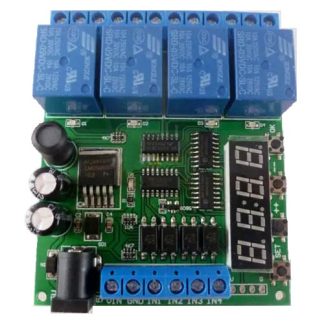
- 4 channel relay: each channel independently triggered independent delay, do not interfere with each other.
- 6 kinds of functional modules: each functional module has three sub-modes (no cycle, 2-99 cycle, always cycle).
- Input optical isolation.
- Power anti-reverse diode.
- High Q value SMD electrolytic capacitors.
Typical applications:
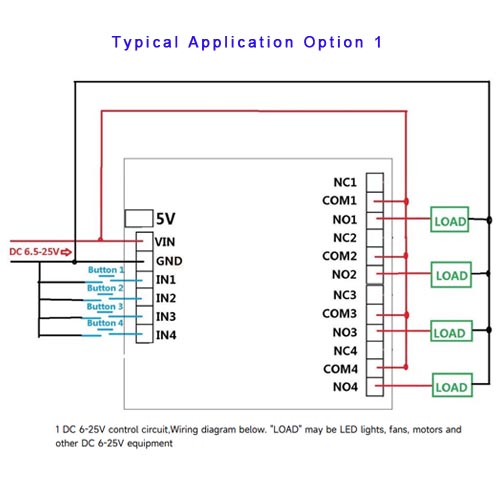
- DC 6-25V control circuit, Wiring diagram below. “LOAD” may be LED lights, fans, motors and other DC 6-25V equipment
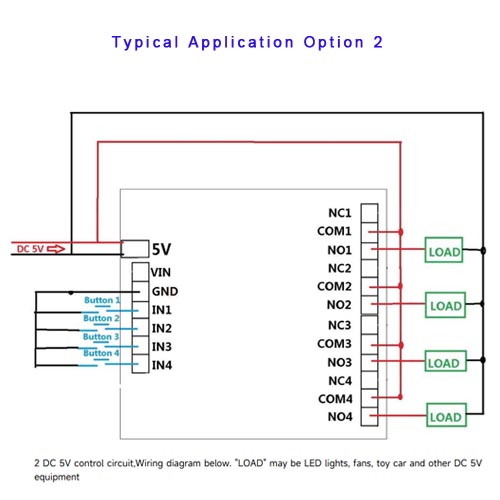
- DC 5V control circuit,Wiring diagram below. “LOAD” may be LED lights, fans, toy car and other DC 5V equipment
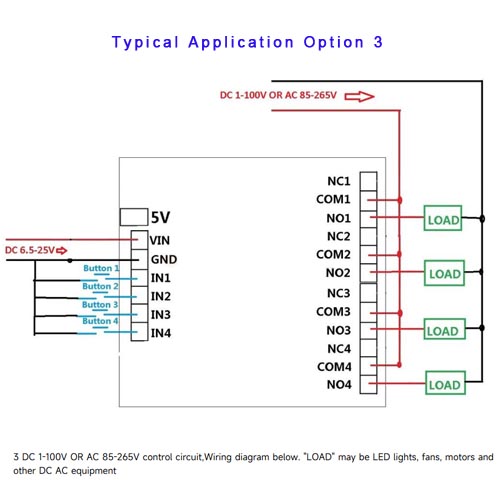
- DC 1-100V OR AC 85-265V control circuit,Wiring diagram below. “LOAD” may be LED lights, fans, motors and other DC AC equipment
Technical Information:
- Brand: Elecbee
- Theory : Time Relay
- Protect Feature : Sealed
- Power Source : DC
- Usage : General Purpose
- Contact Load : High Power
- Voltage : 12V
- Channel : 4
- Voltage : 5V 9V 12V 24V
- Load current : MAX 10A
- Operating voltage: Power Supply 1: DC 6.5-25V | Power Supply 2: DC 5V
- Operating Current(DC 12V): Standby current (all relays closed) 16MA, 1 relay open 50MA, 2 relays open 82MA, 3 relays open 115MA, 4 relays open 150MA
- Size: 80x66x20 | Weight : 75g
- Relay maximum load capacity: DC 1-100V/6A; AC 85-265V/5A
- Package Dimensions: 1.18 x 0.79 x 0.39 inches, 1.76 ounces
User Instructions:
- Short press: press key time is less than 2 seconds;
- Long press: press key time more than 2 seconds;
- Status: working status , set status, power-saving status.
- Working status : start work after powering. Displays the remaining time of 1 channel, the parameters can be displayed the “channel select” to set;
- Set status: short press the “SET” key to enter “channel select” Status. Short press “OK” button to exit the setting;
- Power-saving status: in this Status,digital tubes donot display,and other features work correctly. Long press “OK” button after 5 seconds to enter power-saving status, press again “OK” button for 5 seconds or re-power to exit power-saving status.
- Factory settings: press and hold “++” and “–” two button for 3 seconds, to restore factory settings, and the digital tube will turn open . After re-power , will run default parameters.
Settings:
- After power , the remaining time of digital display channel (default channel 1).
- Press “SET” button to enter “channel select” interface. In the “channel select” screen, then press “++”/”-” button to select channel to operate (relay). Press “OK” button will exit “channel select” screen, and save the current parameters. Press “SET” button into “parameter settings” interface.
- Under “parameters” screen press “SET” button you can switch parameters. “++”/”-” Button to modify the parameters. Press the “OK” button to exit the “parameters” screen, and save the current parameters.