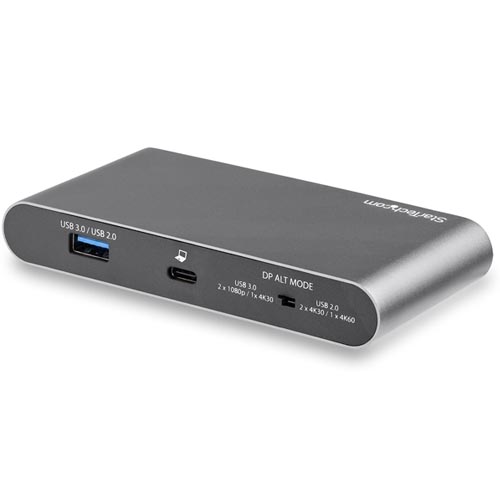
Description
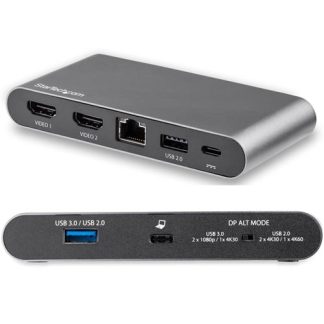
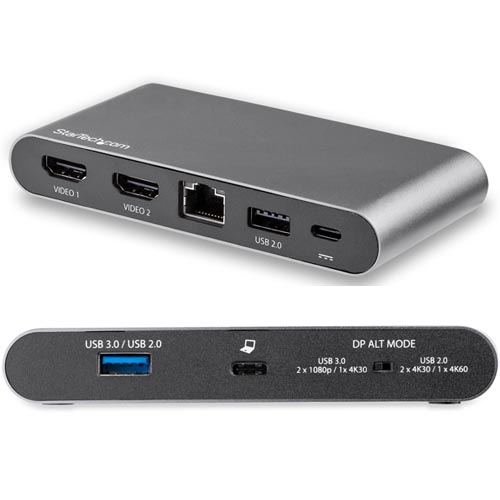
- USB-C DUAL DISPLAY MULTIPORT ADAPTER: Portable USB C dock w/ dual 4K 30Hz or Single 4K 60Hz HDMI video, 2-port USB-A hub (USB 3.0/3.1 Gen 1 5Gbps), Gigabit Ethernet, 100W Power Delivery passthrough
- POWERED BY LAPTOP OR EXTERNAL ADAPTER: Mini dock can be USB bus powered or w/ a power adapter; Charge laptop via PD 3.0 Passthrough w/ your USB-C power adapter (15W for dock, the rest for charging)
- COMPATIBILITY: USB-C docking station compatible with brands like HP, Dell, Lenovo, Surface Book/Laptop 3/Pro 7, Chromebooks; Windows, Chrome OS; MacBook compatibility limited to single monitor
- TWO OPERATION MODES: Physical switch to change between higher resolution dual 4K 30Hz monitor output w/ USB 2.0 transfer speeds, or dual HDMI 1080p w/ faster USB 3.0 port speeds for large data files
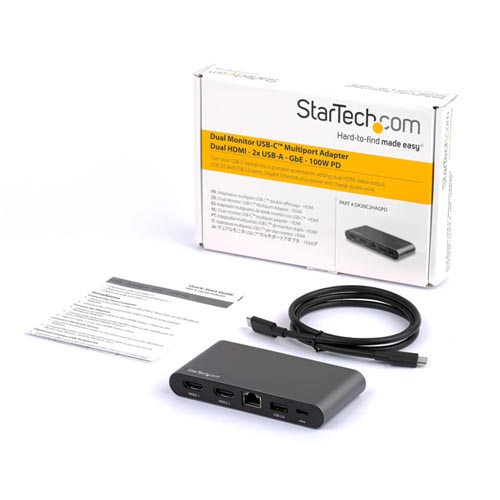
- EASY INSTALLATION: Includes a 3.3ft (1m) USB Type-C host cable for extended port reach; ideal for working from home, office, boardroom or on the go; Automatic driver setup
Features:
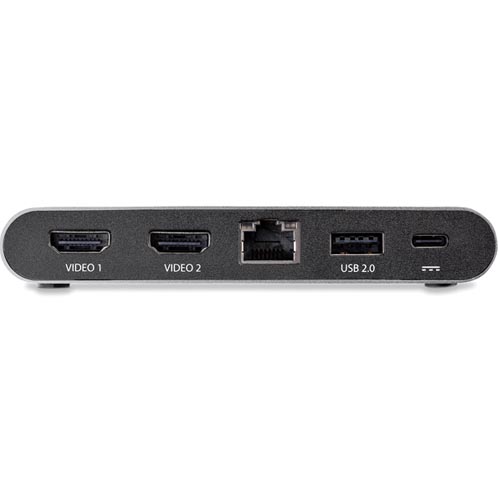
- Transform your Windows laptop into a dual monitor workstation using this USB-C docking station. It offers support for dual HDMI monitors, 2 USB-A peripherals, a LAN port for GbE network access and an extended 1-meter host cable.
- DisplayPort™ Alternate Mode to Choose Your Video Display Output
- Achieve dual 1080p up to a single 4K 60Hz display using the DisplayPort™ Alternate Mode (DP Alt-Mode) configuration switch: Switch Left : 2 Lane DP Alt- Mode | USB 3.0(5Gbps) |Dual 1080p Monitors or Single 4K 30Hz Monitor , Switch Right: 4 Lane DP Alt Mode | USB 2.0(480 Mbps) | Dual 4K 30Hz Monitors or Single 4K 60Hz Monitor
Reliable 100W Power Delivery Passthrough
- The USB-C multiport adapter uses your USB-C laptop’s power adapter and can provide up to 100W Power Delivery (3.0) pass through with up to 85W for your host device for charging. The remaining wattage will power the docking station along with any attached USB-A peripherals such as smartphones and tablets.
- Multi-Stream Transport for Driverless Displays
- The multi-stream transport technology (MST) in this dock powers two HDMI monitors with no driver installation required so you are up and running faster.
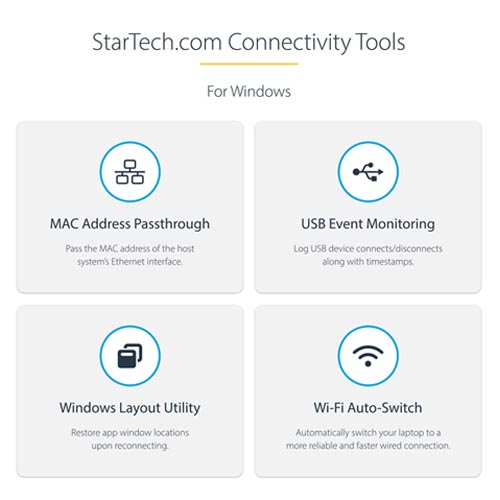
- Enhance Productivity and Device Management with the StarTech.com Connectivity Tools Application.
Developed to improve performance and security, StarTech.com Connectivity Tools is the only software suite on the market that works with a wide range of IT connectivity accessories. The software suite includes:
- Advanced Windows Layout Utility: To setup and save custom windows layouts.
- Mac Address Pass-Through Utility: To improve network security.
- USB Event Monitoring Utility: To track and log connected USB devices
- Wi-Fi Auto Switch Utility: Enabling users to quickly access faster network speeds via wired LAN.
Applications:
- Boardroom presentations, with two display outputs
- Create a two-monitor workstation, cost-effectively